
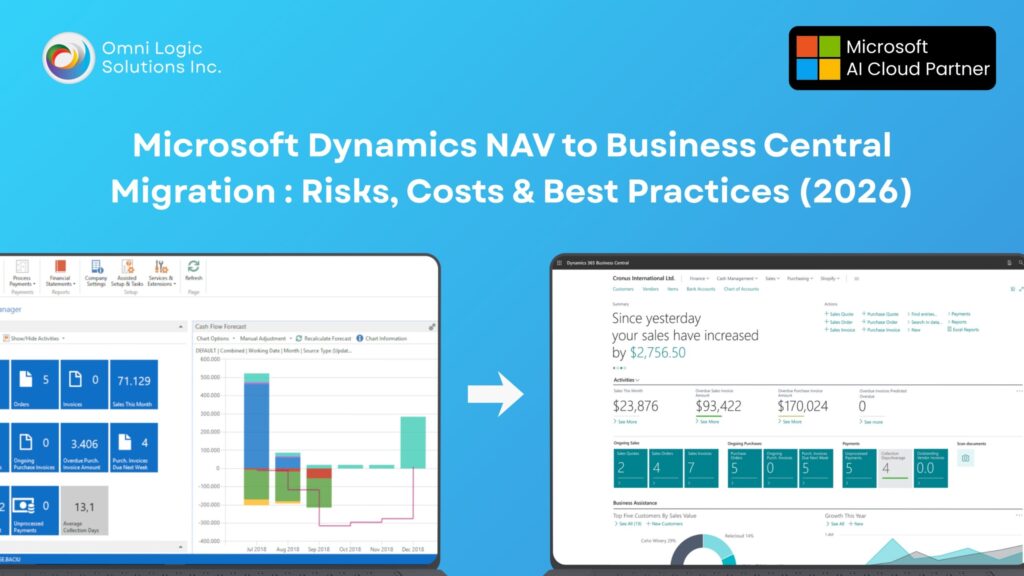
Dynamics NAV To Business Central Migration In Canada: Risks, Costs & Best Practices 2026
If you’re still running Dynamics NAV, you’re not “behind.” You’re running a system that was built for a different era: fewer integrations, fewer security demands, fewer real-time reporting expectations, and a slower pace of change. In 2026, the problem isn’t that NAV can’t post transactions. The problem is that NAV increasingly becomes the system everything else has to work around.
For companies in Vancouver, Burnaby, and across British Columbia, NAV-to-Business Central migration is usually triggered by one of four realities: a major upgrade becomes risky, integrations start breaking, finance visibility becomes too slow, or the business grows and the old architecture becomes expensive to maintain.
Why Staying On NAV Becomes A Business Risk
Dynamics NAV systems rarely “explode.” They become expensive in quieter ways. The first sign is usually that updates and changes take longer than they should, because every change risks breaking custom code or legacy integrations. Over time, IT becomes reactive, finance gets stuck in spreadsheets, and leadership loses real-time visibility.
The second risk is operational: when a business starts using more modern tools—Power BI, Teams collaboration, cloud apps, new eCommerce platforms—NAV becomes the bottleneck. Teams end up building workaround processes that create data mismatches and reconciliation effort.
The third risk is people and continuity. NAV expertise is harder to find than it used to be. When your system depends on a small number of specialists, your business becomes fragile. Migration becomes inevitable; the only decision is whether you do it with time and control, or under pressure.
What NAV To Business Central Migration Actually Means
NAV to Business Central migration is not a “version upgrade.” It is a controlled transition to a modern platform that is designed to update continuously, integrate cleanly, and support modern security and reporting expectations.
A real migration typically includes:
-
Defining what your NAV system really does today (including workarounds)
-
Deciding what to keep, replace, retire, or redesign
-
Migrating core data and opening balances in a controlled structure
-
Rebuilding custom functionality as extensions or using standard features
-
Rebuilding integrations using APIs and modern connectors
-
Testing with real transaction scenarios (not just “it opens” testing)
-
Training users on updated processes and roles
If your partner skips the hard planning decisions, you’ll pay for them later in change orders, delays, or a rough go-live.
Cloud Vs On-Prem In Canada: What Changes For You

A lot of teams ask this too late. The decision isn’t “cloud is modern.” The decision is about operational responsibility and long-term maintenance.
Cloud usually makes sense for Canadian SMBs when:
-
You want predictable upgrades and fewer infrastructure headaches
-
You need easy access across locations (Vancouver + remote teams)
-
Your business relies on multiple connected systems (eCommerce, EDI, payments)
-
You want stronger security posture without building it all yourself
On-prem or hybrid can make sense when:
-
You have strict internal requirements around infrastructure control
-
You have specialized legacy integrations that aren’t ready to modernize
-
You’re in a staged transformation and need a stepping stone
Cloud Vs On-Prem Quick Table
| Decision Area | Cloud Business Central | On-Prem / Hybrid Business Central |
|---|---|---|
| Upgrades | Continuous + predictable | Project-based upgrades |
| Infrastructure | Microsoft-managed | Customer-managed |
| Customization Model | Extensions-first | Still extensions, but more local dependencies |
| Integrations | API-first, standard connectors | Often requires more custom handling |
| Long-Term IT Burden | Lower | Higher |
What Changes Technically From NAV To Business Central (No Vague Stuff)
Extensions Replace Upgrade-Breaking Custom Code
NAV customizations were often written directly into core objects. That approach makes upgrades risky because changes collide with the core application. Business Central moves you toward an extension model that isolates custom logic so upgrades don’t become a recurring reinvention project.
What This Means In Real Life:
If you currently have heavy NAV customizations, you must decide which are truly business-critical and which exist only because NAV lacked standard capability. Rebuilding everything blindly is how costs explode.
Integrations Shift From Files To APIs
Many NAV systems use CSV exports/imports, scheduled jobs, or manual uploads. Business Central is designed for modern integration patterns using APIs and connectors.
What This Means In Real Life:
Your integration effort becomes more predictable, but you must map integration logic properly. Poor mapping creates “silent errors” where systems appear connected but data drifts over time.
Reporting Shifts From Static To Living Data
NAV reporting is often custom, static, and fragile. Business Central supports modern reporting patterns through Power BI and structured data. The win is not “a dashboard.” The win is that finance and operations can stop spending hours reconciling versions of truth.
What This Means In Real Life:
If your team relies on Excel, Business Central can reduce manual work—but only if you redesign reporting workflows and not just recreate old reports.
Security Model And Controls Mature
Business Central supports role-based access, approvals, audit trails, and segregation of duties patterns more cleanly when properly configured.
What This Means In Real Life:
If audits are getting heavier, or you need stronger approvals and traceability, you can reduce risk—but you must configure roles intentionally. Many projects fail here by copying permissions blindly.
NAV vs Business Central Reality Table
| Area | Typical NAV Reality | Typical Business Central Reality |
|---|---|---|
| Customization | Core object modifications | Extensions + upgrade-safe changes |
| Upgrades | Expensive, risky projects | Frequent, predictable updates |
| Integrations | File-based + brittle | API-first + cleaner connectors |
| Reporting | Custom reports + Excel | Power BI + role dashboards |
| Security | Often inherited/patchwork | Role-based + approvals + audit trails |
The Migration Timeline That Actually Works (Canada SMB Reality)
Most Canadian SMB migrations fall into 3–9 months because the real duration depends on custom code and integrations, not just data volume.
Typical Timeline By Phase
| Phase | What Happens | Typical Duration |
|---|---|---|
| Discovery & Blueprint | Scope, process mapping, customization audit | 4–8 Weeks |
| Data Cleanup & Mapping | Master data cleanup, posting setup, dimensions | 4–6 Weeks |
| Build & Configure | BC config, extensions, roles, workflows | 6–12 Weeks |
| Integrations & Reporting | APIs/connectors, Power BI, test automation | 4–10 Weeks |
| Testing & Training | UAT scenarios, role training, cutover rehearsal | 4–6 Weeks |
| Go-Live & Stabilization | Cutover, support, fixes, performance tuning | 4–8 Weeks |
Timing Rule That Saves Projects
Avoid go-live during:
-
Month-end close windows
-
Peak inventory cycles
-
Tax-heavy reporting periods
-
Major seasonal peaks (common in retail/distribution)
Cost Drivers And Typical Ranges In Canada

Cost Drivers That Increase Scope Fast
-
Heavy NAV custom code that must be rebuilt as extensions
-
Multiple companies/entities and intercompany rules
-
Complex inventory costing and warehouse processes
-
EDI, eCommerce, POS, or payment integrations
-
Complex reporting requirements or poor data discipline
-
Minimal internal ownership and slow decision cycles
Cost Drivers That Often Matter Less Than People Think
-
Number of users (beyond licensing implications)
-
Raw transaction volume (unless performance tuning is ignored)
-
“We have a lot of history” (often better archived than migrated)
Typical Cost Range Table (Labelled Correctly)
| Migration Type | Typical Canadian SMB Scope | Typical Range (CAD) |
|---|---|---|
| Clean Standard Migration | Low custom code, limited integrations | $40K–60K |
| Moderate Complexity | Some extensions, 2–4 integrations | $60K–$100K |
| High Complexity | Heavy custom code + EDI/eCom/POS | $100K–$180K+ |
These are typical planning ranges, not quotes. Your actual number depends on what you’re rebuilding, not what you’re hoping.
Data Strategy: What To Migrate, Archive, Or Rebuild
A clean migration is not “move everything.” It’s “move what you need to run the business and report correctly.”
Recommended Migration Approach
| Data Category | Typical Recommendation | Why |
|---|---|---|
| Customers, Vendors, Items | Migrate Clean | Operationally required |
| GL Setup, Posting Groups, Dimensions | Rebuild Carefully | Fix structure, avoid legacy mess |
| Open AR/AP, Inventory Balances | Migrate As Opening | Needed for continuity |
| Historical Transactions (Years) | Often Archive | Costly to move, limited ROI |
| Custom Tables | Evaluate Case-By-Case | Many can be retired |
If your auditors require history in-system, you can migrate selectively—but treat it as a conscious cost decision.
ROI Model: Where Payback Usually Comes From
ROI is typically not “we fired people.” It’s that your team stops wasting time on low-value work.
Common ROI sources:
-
Faster month-end close and fewer adjustments
-
Reduced spreadsheet reconciliation
-
Lower IT maintenance and fewer upgrade projects
-
Better inventory accuracy and fewer write-offs
-
Improved margin visibility by product/customer/channel
Simple ROI Thinking Table
| Area | Before | After | ROI Mechanism |
|---|---|---|---|
| Month-End Close | Manual + delayed | Structured + faster | Less overtime + fewer errors |
| Reporting | Excel-based | Live dashboards | Faster decisions |
| IT Maintenance | Server + custom code | Managed + extensions | Lower long-term support cost |
| Integrations | Breaks quietly | Exceptions tracked | Less revenue leakage |
FAQs
Is Dynamics NAV still supported in Canada?
It depends on your NAV version and what you mean by support. Even when systems run, the real issue is reduced roadmap alignment, integration compatibility, and increasing risk over time.
How much does NAV to Business Central migration cost in Vancouver?
Typical Canadian SMB migrations often fall between $40K and $350K+ CAD, driven mostly by custom code, data quality, and integrations—not by company size.
How long does NAV to Business Central migration take?
Most projects run 3–9 months. If you have heavy customizations and connected systems like EDI, eCommerce, or POS, timelines extend unless scope is tightly managed.
Can we migrate NAV customizations to Business Central?
Some can be rebuilt as extensions, but many should be retired or replaced with standard features. The best approach is a customization audit with ROI filtering.
Should we choose Business Central cloud or on-prem?
Cloud is often best for long-term cost control and predictable upgrades. On-prem/hybrid can fit special constraints, but usually increases long-term maintenance responsibility.
What data should we migrate from NAV?
Migrate what you need to run the business and report accurately: master data, setups, and opening balances. Historical transactions are often better archived than migrated.
What’s the biggest risk in NAV migration?
Poor preparation: messy data, unclear scope, weak testing, and unmanaged integrations. Business Central is rarely the problem—the approach is.
Will migration disrupt operations?
It can, if go-live is rushed or testing is weak. A phased approach with cutover rehearsal and stabilization support reduces disruption significantly.
Do we need a Dynamics partner for migration?
For most businesses, yes. Migration includes architecture, data, customizations, integrations, security, and training. The wrong approach can be more expensive than waiting.
What should we do first?
Start with a discovery blueprint: version assessment, customization audit, integration map, and a phased migration plan aligned to your fiscal calendar.